The Customer Reports folder contains three dashboards designed to generate reports for common Digital Agent inquiries regarding advisor profiles.
⚠️ Important: Reports do not include profile images or bio text for advisor and partner profiles.
TABLE OF CONTENTS
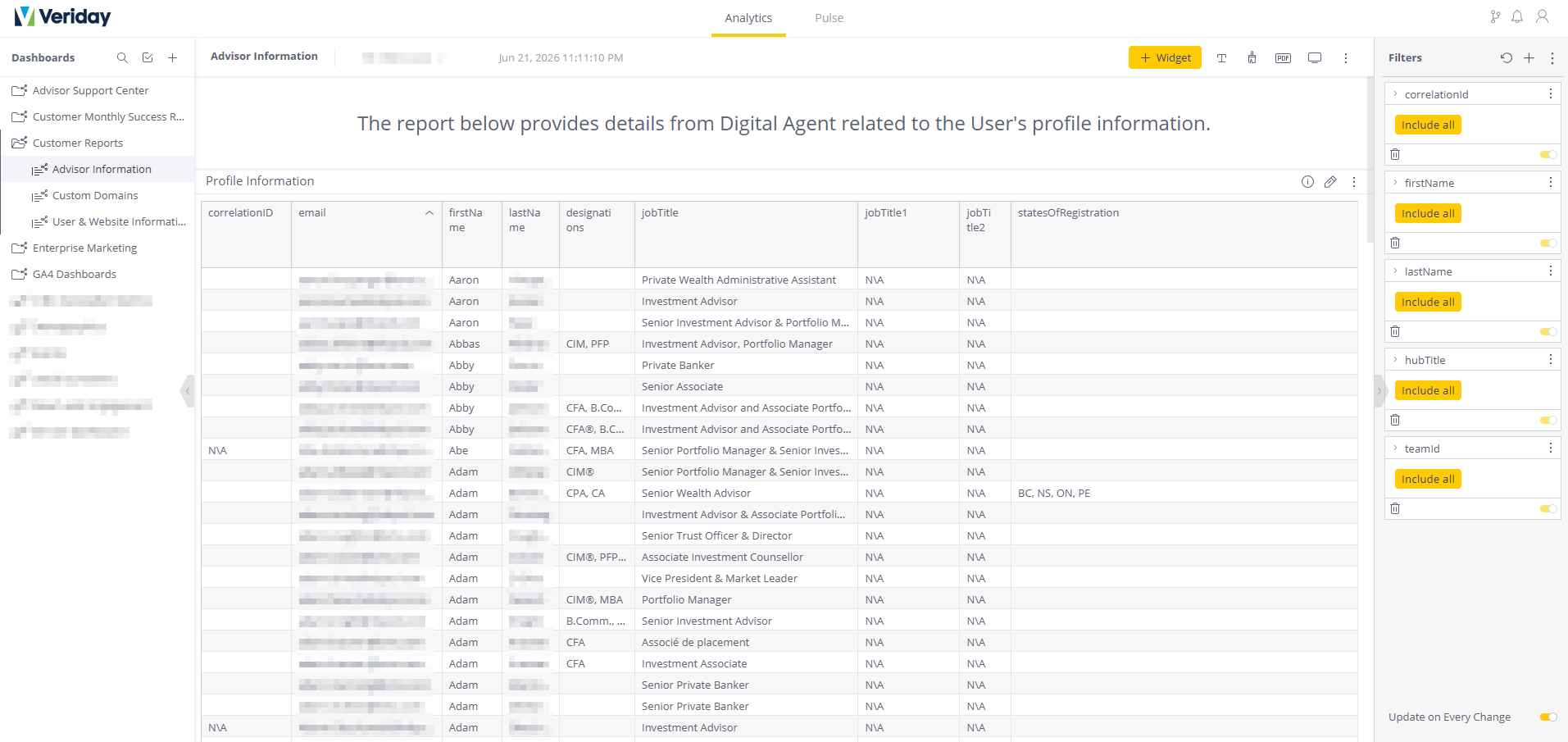
Advisor Information
Profile Information
Displays all data entered into the My Profile section of any hub that has been configured as "Individual".
Team Information
Displays all data entered into the My Profile section of any hub that has been configured as "Team".
Email & Hub (Team Information)
Displays profile details of any users associated with a "Team" hub, sorted based on the user's email.
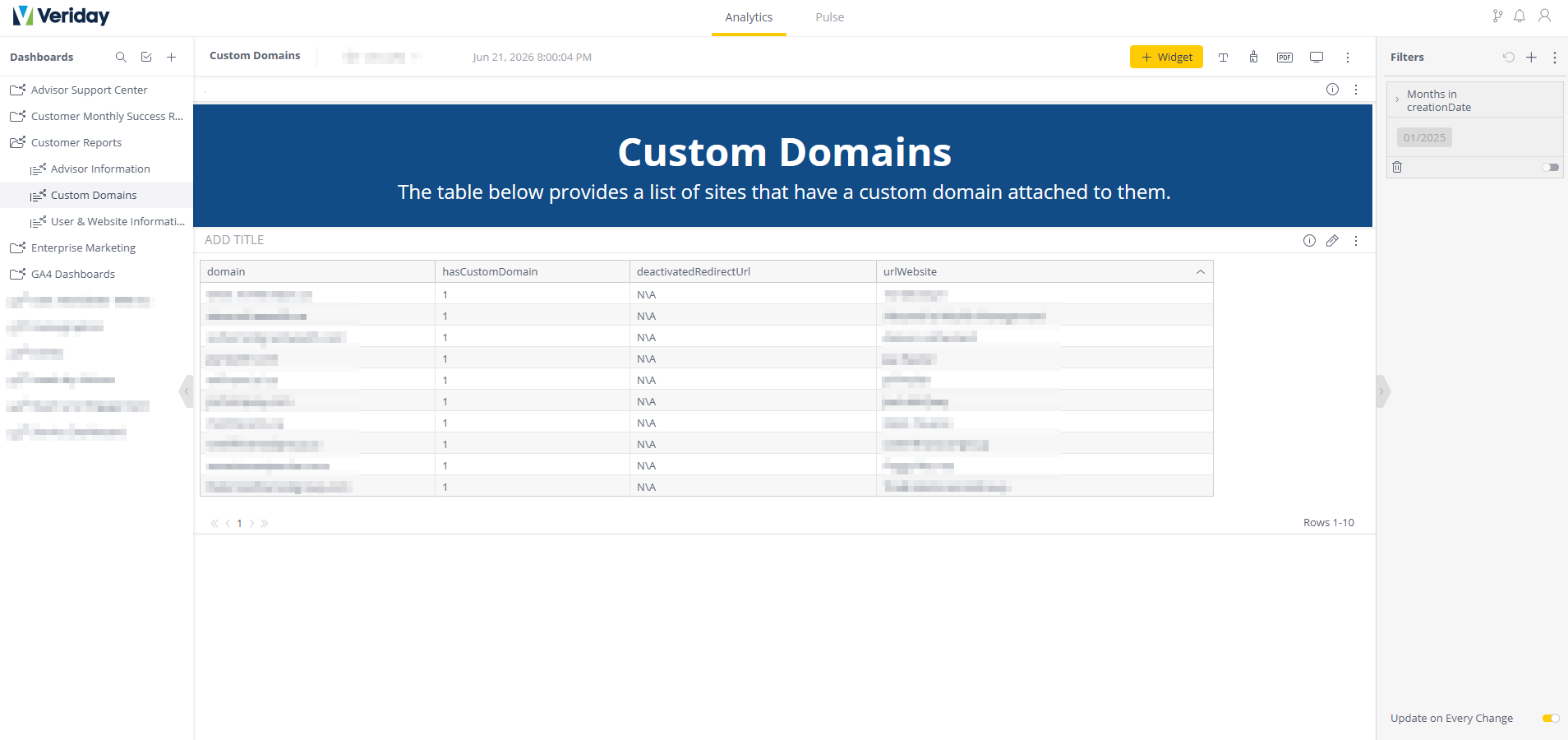
Custom Domains
Displays a list of sites that have a custom domain configured as the primary URL.
Note: Custom domain redirects (such as redirecting from a secondary custom URL to the primary URL, or from a custom URL back to the default DA URL) are not documented in this view.
Field/Attribute | Description |
|---|---|
domain | The custom domain configured in the site's Settings. |
hasCustomDomain | Indicates whether the custom domain is active.
|
deactivatedRedirectURL | Displays the domain set in Admin HQ > URL Management if the hub has been deactivated and redirected to another URL. |
urlWebsite | The default (DA) URL assigned to the site. |
User & Website Information
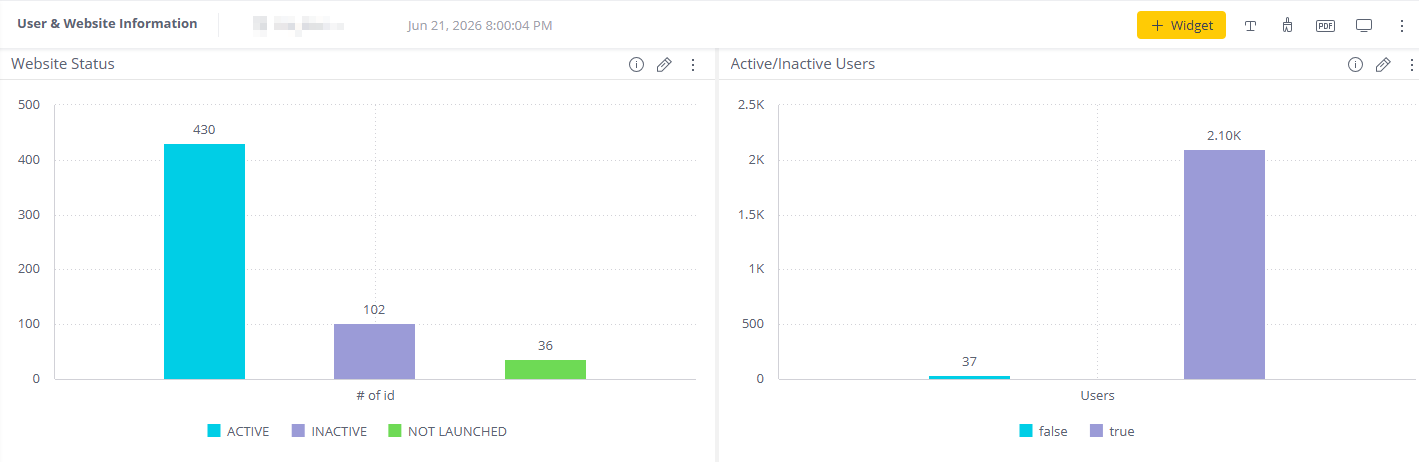
Website Status (Bar Chart)
Displays the number of sites that are:
- Active
- Inactive
- Not Launched
Active/Inactive Users (Bar Chart)
Displays the number of users who are Active or Inactive in the User Manager.
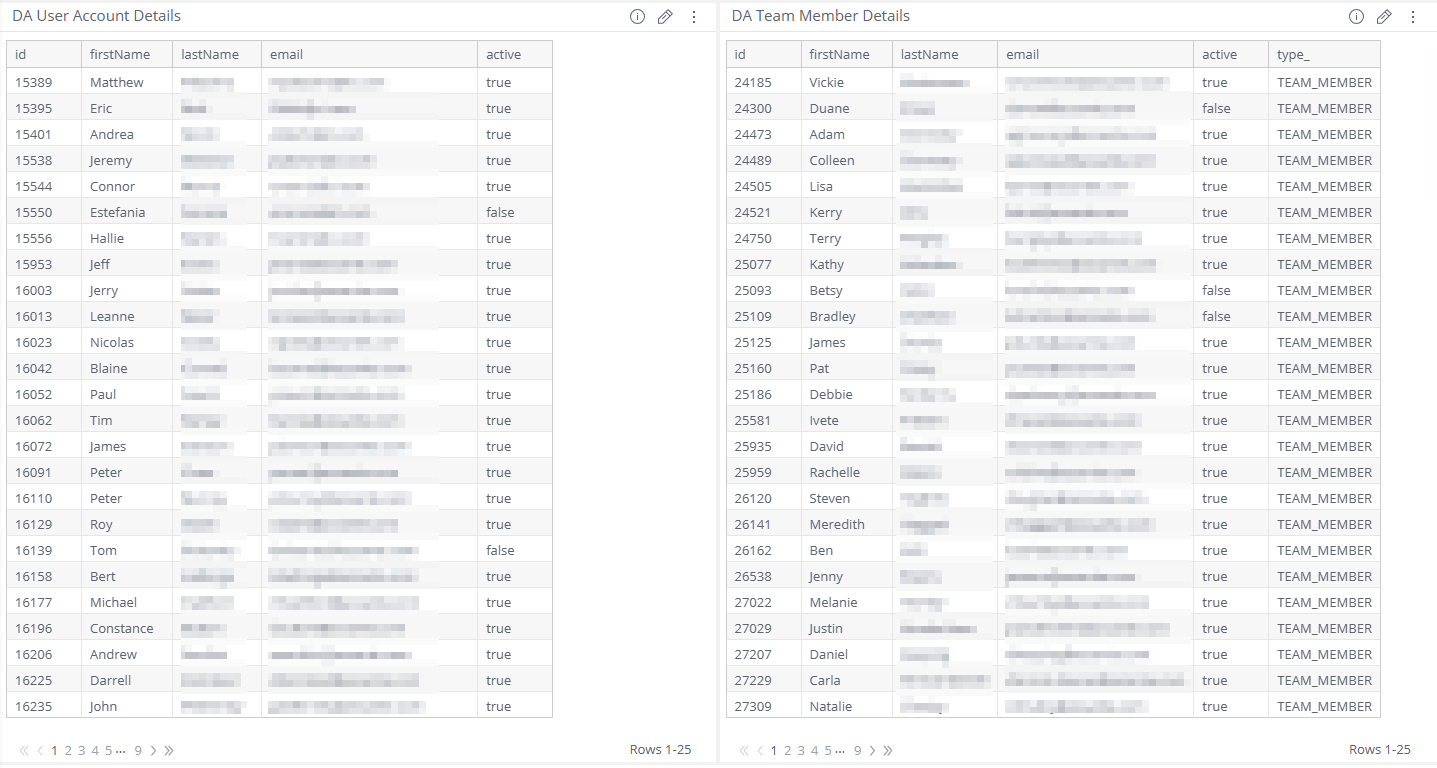
DA User Account Details Information
Provides the account information about every user who's been added to the environment and the specific Roles (Permissions) they've been assigned.
Field/Attribute | Description |
|---|---|
id | The ID associated with the user's account. |
title | The name of the hub. |
lastName | The last name of the user. |
The email associated with the hub. | |
accessType | The permissions that have been assigned to the user:
|
active | The user's current account status.
|
DA Team Member Details
Displays all account details for any user who's been added to a hub configured as "Team".
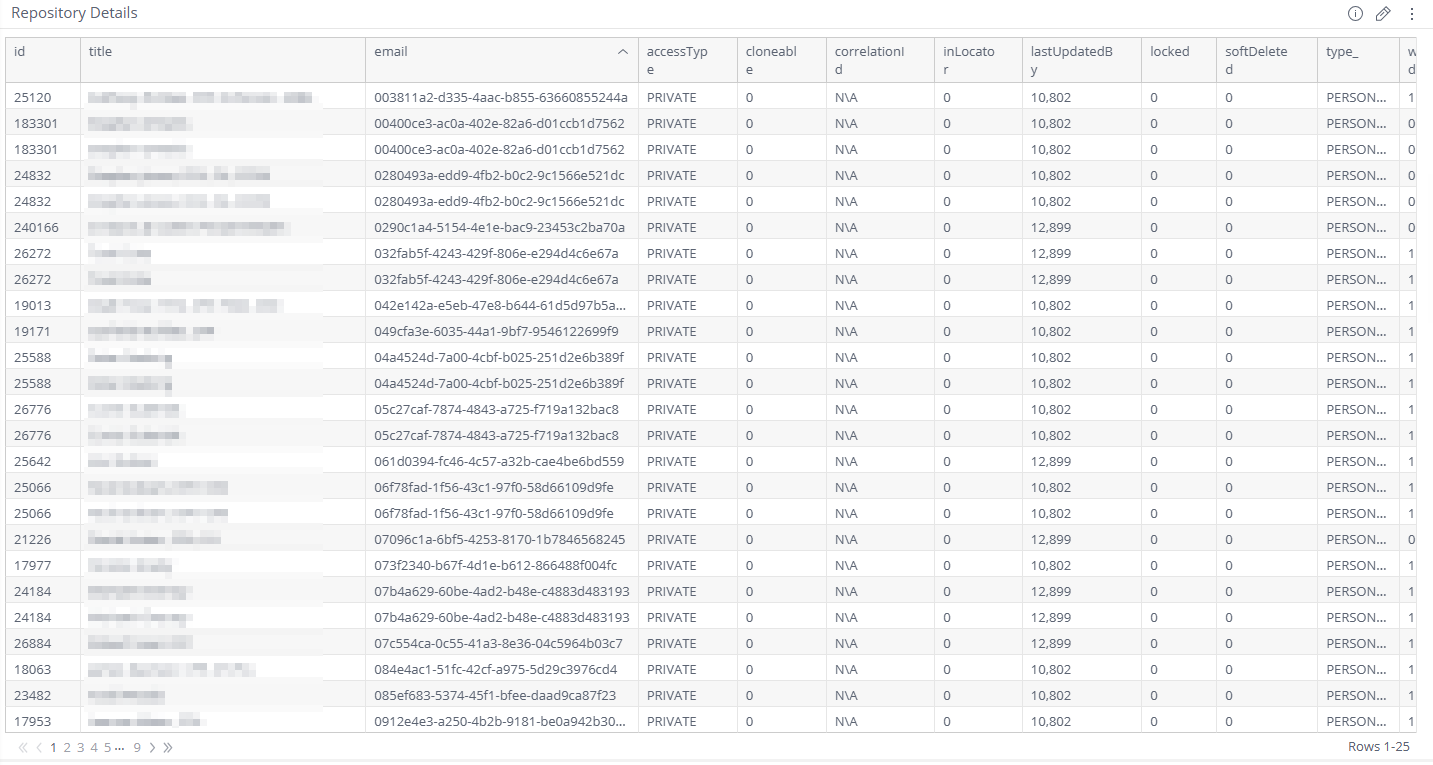
Repository Details
A list of all the hubs that have been created in the environment with associated configuration and status information.
Field/Attribute | Description |
|---|---|
id | The ID associated with the user's account. |
title | The name of the hub. |
The email associated with the hub. | |
accessType | The privacy setting assigned to the hub (defaults to PRIVATE). |
cloneable | Indicates if Website Cloning is turned on.
|
correlationID | N/A |
inLocator | Indicates if the hub is currently discoverable in the Locator.
|
lastUpdatedBy | The ID of the last user to apply a change to this hub. |
locked | Indicates whether the hub is currently locked.
|
softDeleted | Shows if the hub is currently Soft Deleted.
|
type_ | Whether the hub has been assigned as PERSONAL or OFFICE. |
workflowEnabled | Indicates if the Workflow has been turned on.
|
locale | Each language version that's enabled for the hub. Each enabled locale will display with its own row. |
defaultLocale | The locale (language version) that's been selected as the default.
|
Website Details
Provides a list of all created websites in the environment, regardless of whether they are currently online or offline.
Field/Attribute | Description |
|---|---|
id | The ID associated with the hub. |
owner | The email of the primary user of the hub. |
url | The website-specific suffix at the end of the URL. |
The email associated with the hub. | |
deactivatedRedirectUrl | Displays the domain set in Admin HQ > URL Management if the hub has been deactivated and redirected to another URL. |
setOnlineBy | The email of the user who set the hub online. |
setOnlineDate | The date the site was set online. |
websiteStatus | The current status of the website.
|
workflowEnabled | Indicates if the Workflow has been turned on.
|
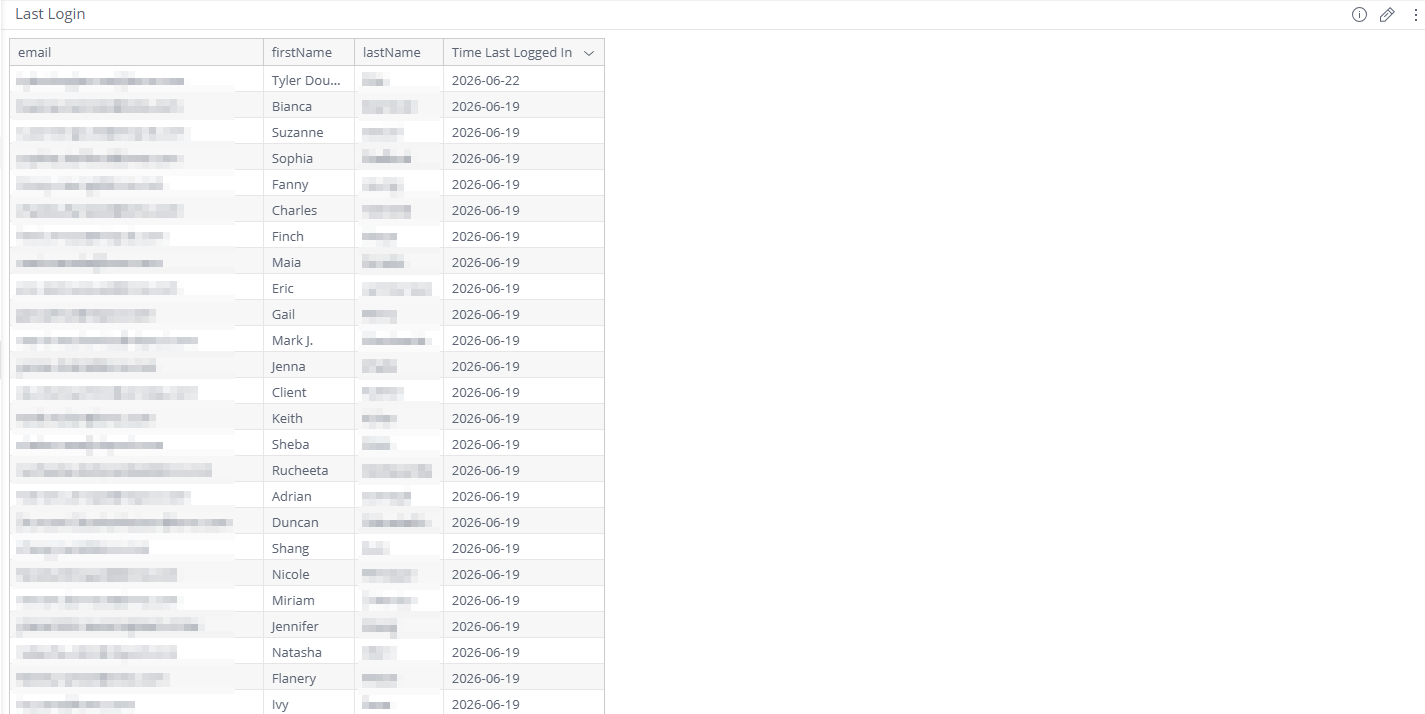
Last Login (List)
Provides the account information about every user who's been added to the environment and the specific Roles (Permissions) they've been assigned.
Field/Attribute | Description |
|---|---|
The user's email. | |
firstName | The first name of the user. |
lastName | The last name of the user. |
Time Last Logged In | The date the user last logged in to the environment. |
accessType | The permissions that have been assigned to the user:
|
active | The user's current account status.
|
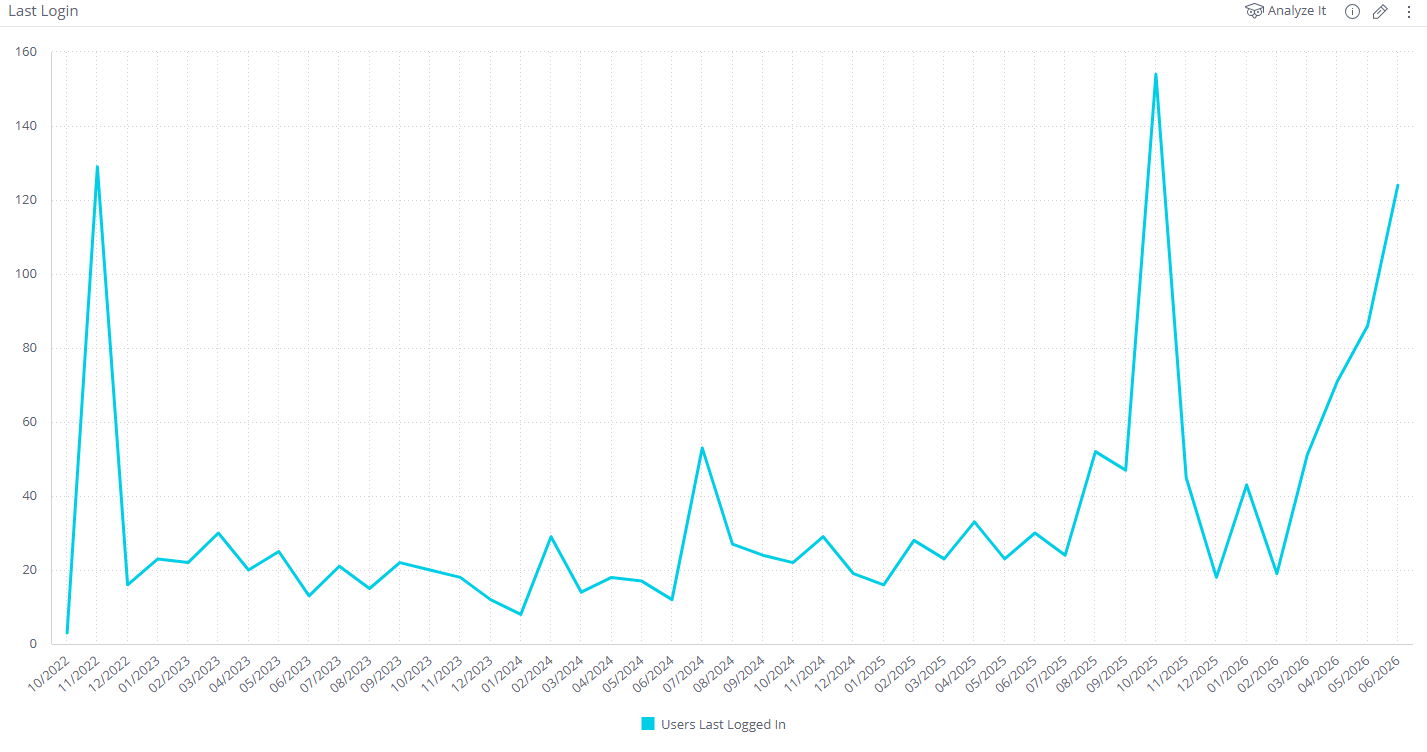
Last Login (Line Chart)
Tracks the number of users who last logged in to the environment, per day.
Was this article helpful?
That’s Great!
Thank you for your feedback
Sorry! We couldn't be helpful
Thank you for your feedback
Feedback sent
We appreciate your effort and will try to fix the article