If your blog post requires compliance or legal language, you can manage this directly within the editor.
⚠️ Important: Please consult with your marketing or compliance team to determine which disclosures are required for your content.
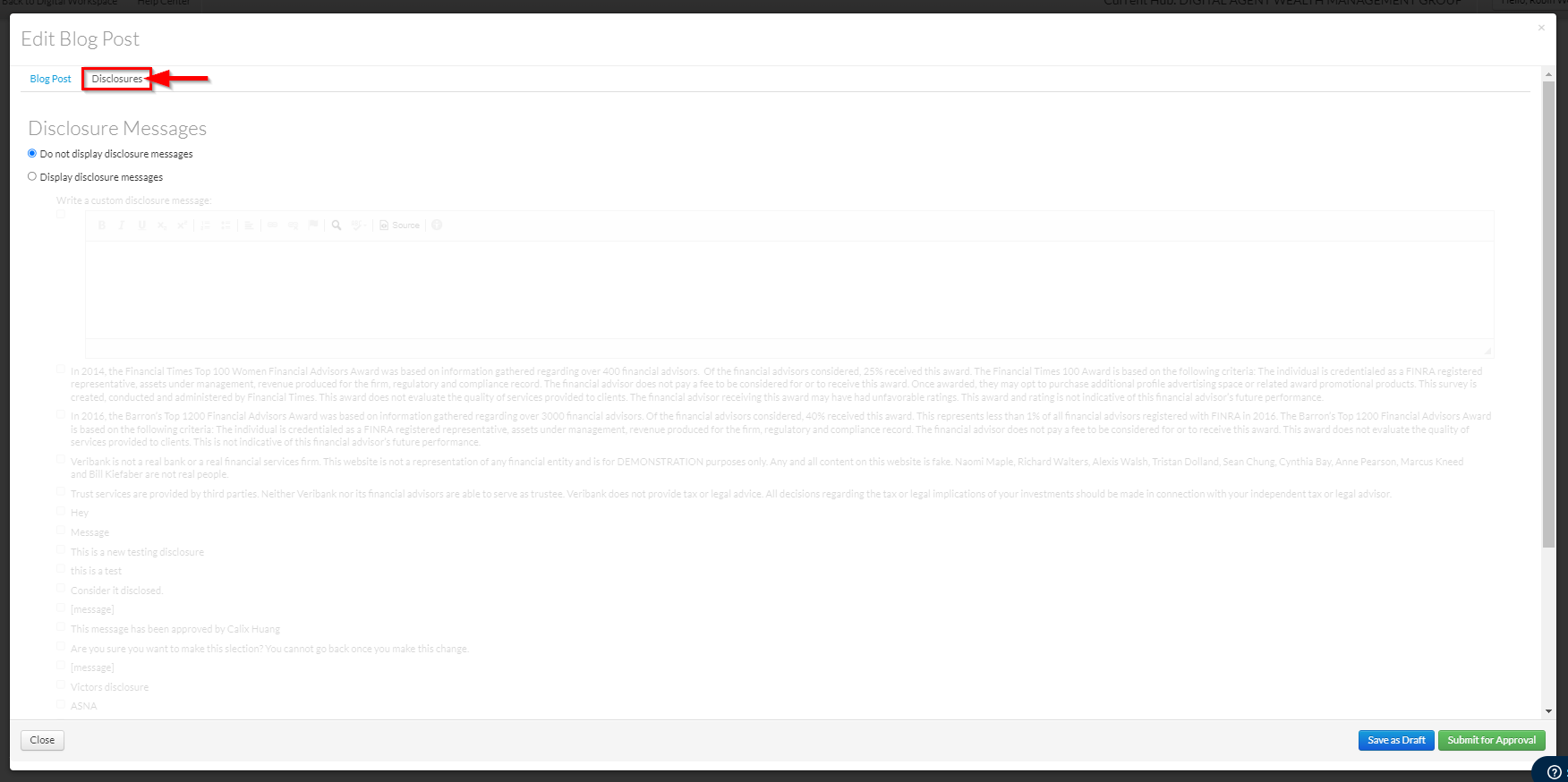
1. While in the Add Blog Post editor window, click on the Disclosure tab.
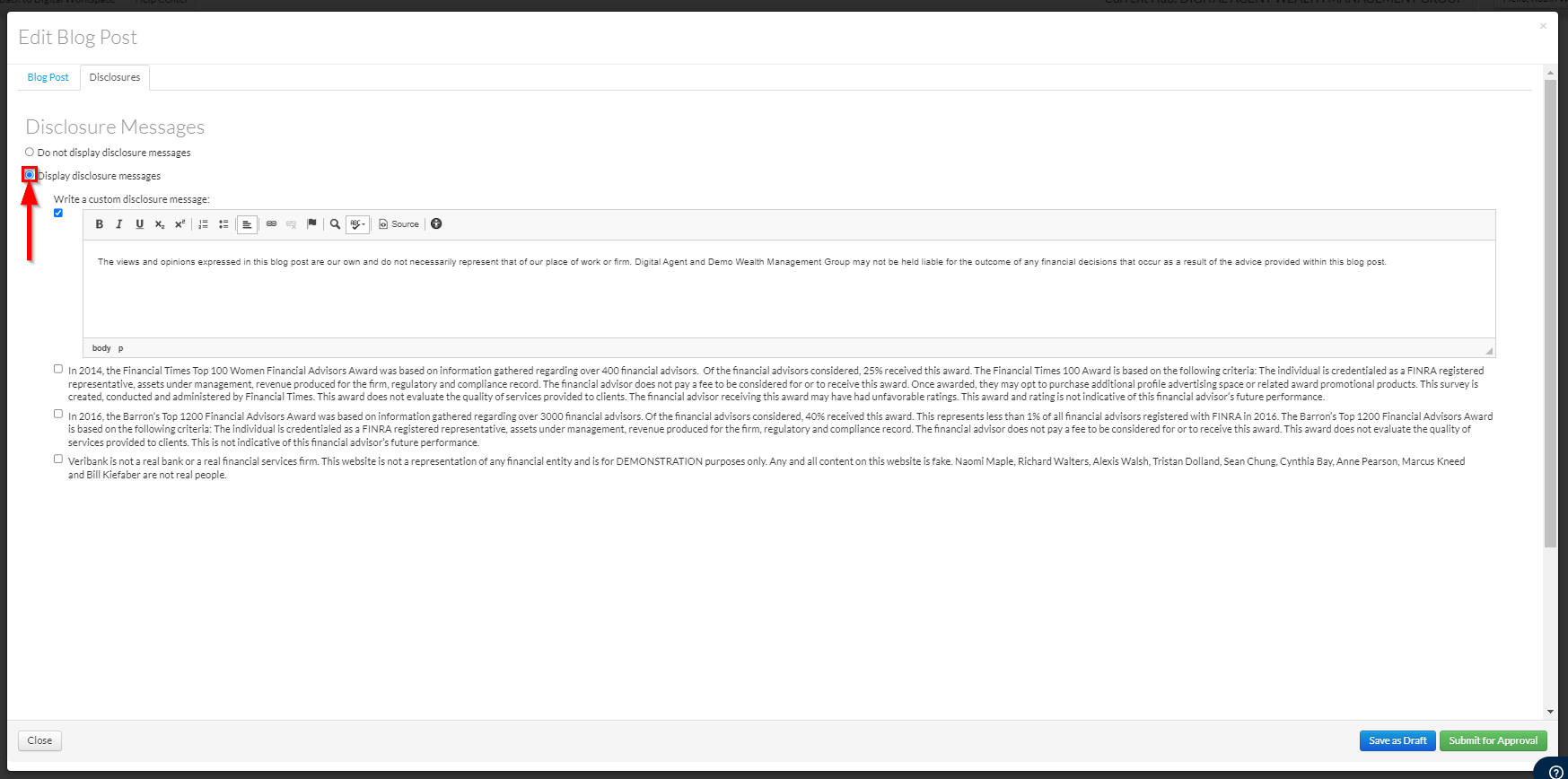
2. Toggle Display disclosure messages to On. From here, you can:
- Write a custom disclosure: Type your own specific legal text directly into the field.
- Select pre-approved disclosures: Choose from a list of pre-configured disclosures created by your Marketing team. You may select as many as needed.
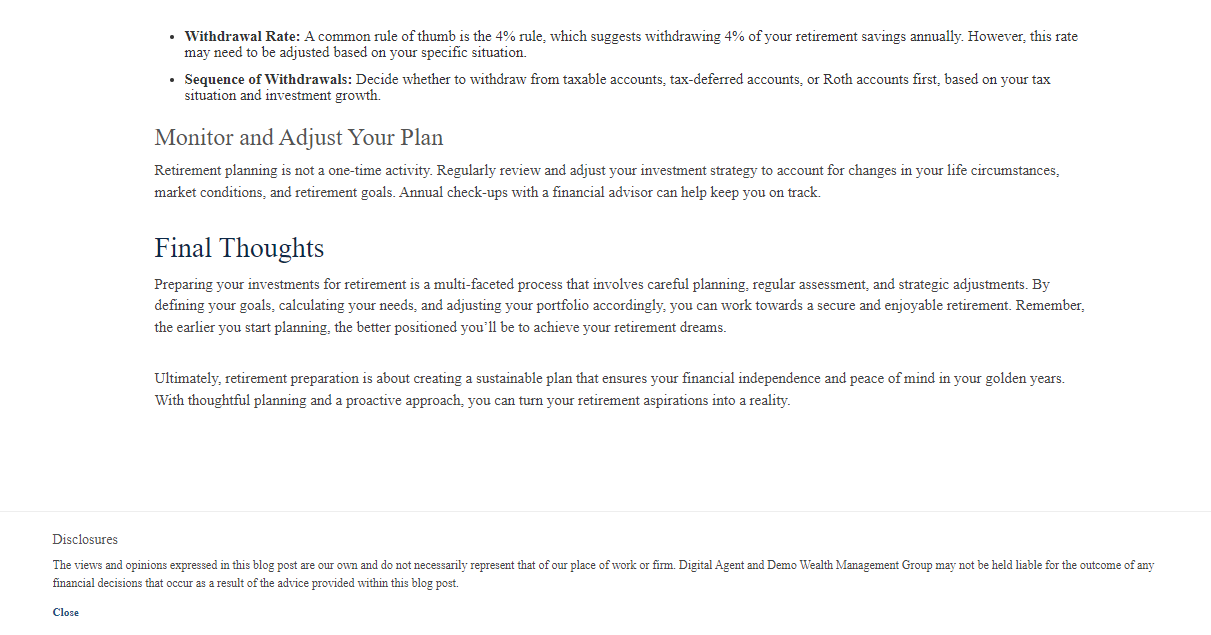
3. Once the blog post is Approved and Published, all selected or custom disclosure messages will automatically display in a dedicated Disclosures section at the very bottom of the blog post page.
Was this article helpful?
That’s Great!
Thank you for your feedback
Sorry! We couldn't be helpful
Thank you for your feedback
Feedback sent
We appreciate your effort and will try to fix the article